Currency converter and price conversion extension
Quickly switch prices into the currency of your choice on any website with the Xe browser extension. See every price clearly and use the built-in converter for fast and convenient currency calculations in 130+ currencies. Xe uses live mid-market rates, so you always get accurate conversions wherever you browse.

Convert prices in seconds
Switch page prices to your currency instantly
Use Xe’s currency converter and price conversion extension to quickly switch prices on any website into your currency in just one click. Tap the Xe extension icon and instantly convert product listings, cart totals, or travel bookings without leaving the page.
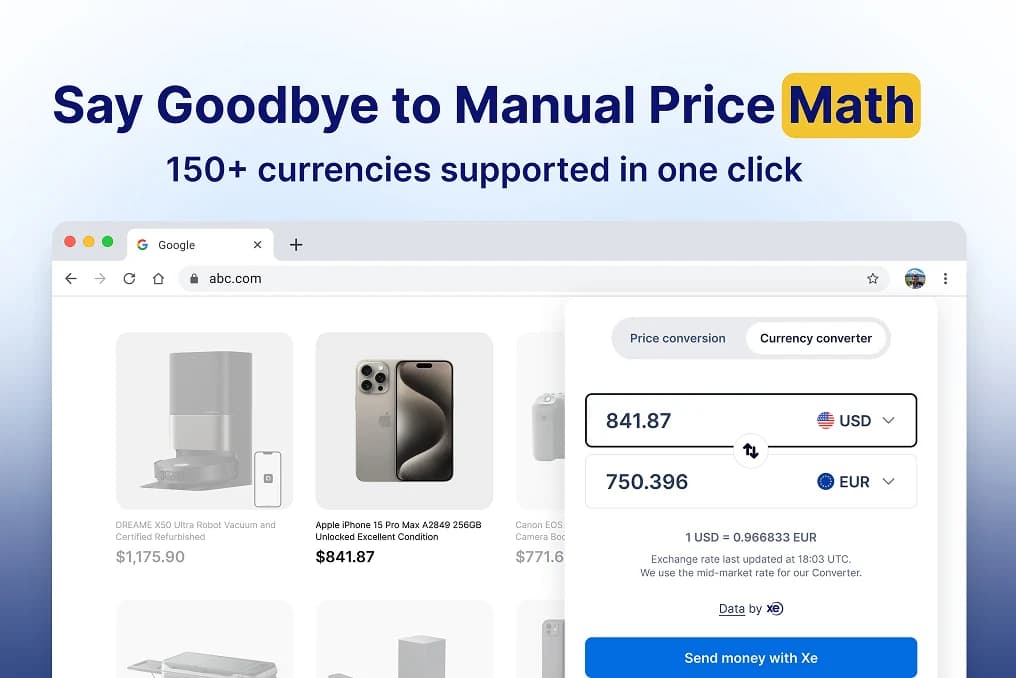
Convert custom amounts right in your browser
With Xe's built-in currency converter, you can enter any amount and get an accurate conversion right in your browser. Whether you’re shopping or comparing prices, Xe uses live mid-market rates so you always get accurate conversions wherever you browse.
Start converting in a few clicks
Add the Xe price conversion and currency converter extension to your browser in just a few steps. No complicated setup or technical skills are needed.

Add the Xe Converter
Visit your browser's extension store and search for the 'Xe Currency Converter & Price Switcher'. Select, 'Add' to install it in just a few seconds.

Pin the Xe icon
For easy access, click the puzzle piece in the extensions menu and pin the Xe icon to your toolbar. This ensures that the extension is ready at any time.

Start converting
While browsing, click the Xe icon to convert prices instantly. For a quick conversion, toggle to the built-in converter to get accurate results.

Privacy and security
Convert currencies without sharing data
Prices are converted directly in your browser, so no browsing data or personal information is ever sent to our servers. Maintain full control of your privacy while using fast and reliable currency tools.
Everyday uses for the Xe converter extension
The Xe converter extension helps you see accurate prices in your own currency while saving time and reducing guesswork. Use it while booking travel, comparing international prices, or browsing online.

Online shopping
Browse any retailer or marketplace and see prices in your own currency before checking out. With Xe’s extension, you'll always know exactly what you’re paying so you can shop confidently.

Travel bookings
Convert costs into your local currency when booking flights, hotels, or car rentals on foreign travel sites. Stay on top of your budget and avoid overpaying due to poor conversions.

Freelancing and payments
If you work with international clients or hire global freelancers, the Xe extension helps you quickly understand the value of invoices, project quotes, or payouts in your local currency.

Financial research
Research international markets, compare salaries, or look into global investments with the Xe converter extension. Instantly change amounts into your own currency to make clearer comparisons.
Xe converter extension FAQs
The Xe extension is a browser tool that allows you to instantly convert prices into your preferred currency on any website. It uses real-time mid-market exchange rates for accurate and up-to-date conversions without leaving the page you're browsing.
Once installed, simply click the Xe icon in your browser to convert prices directly on a webpage. Whether it's shopping carts, product listings, or travel bookings, prices switch instantly to your local currency.
Absolutely! The Xe Currency Converter & Price Switcher extension is completely free to download and use from your browser’s extension store.
The extension is available for browsers including Google Chrome, Microsoft Edge, Mozilla and Firefox.
To install the Xe extension:
Open the Xe Currency Converter & Price Switcher in the Chrome web store.
Click “Add” to install the extension into the extensions menu.
Once installed, pin the icon to your toolbar for quick access.
To install the Xe extension:
Open the Xe Currency Converter & Price Switcher in the Firefox web store.
Click “Add” to install the extension into the extensions menu.
Once installed, pin the icon to your toolbar for quick access.
Not at all. The extension is lightweight and designed to operate seamlessly in the background without affecting your browsing speed or site performance.
Yes. The extension performs all conversions locally within your browser. No browsing history, personal data, or conversion activity is sent to Xe's servers, ensuring your privacy is protected.