The fast and trusted way to send money
Millions of people check our international rates and send money online to 200 countries in 100 currencies.
Total
$0.00

The Xe Advantage
How much can you save when sending international money transfers with Xe?
| Provider | Recipient Gets | |
|---|---|---|
 | $15,086 +158.00 USD | |
 | $14,928 -158.00 USD | |
 | $14,924 -162.00 USD | |
 | $14,582 -504.00 USD | |
 | $14,338 -748.00 USD | |
$10.7K$11.2K$11.7K$12.2K$12.7K$13.1K$13.6K$14.1K$14.6K$15.1K |
Why choose Xe
30+ Years of Excellence
Send money online, at home or on the go
The Xe app has everything you need for international money transfers. It's easy, secure, and has no hidden fees.
Download the app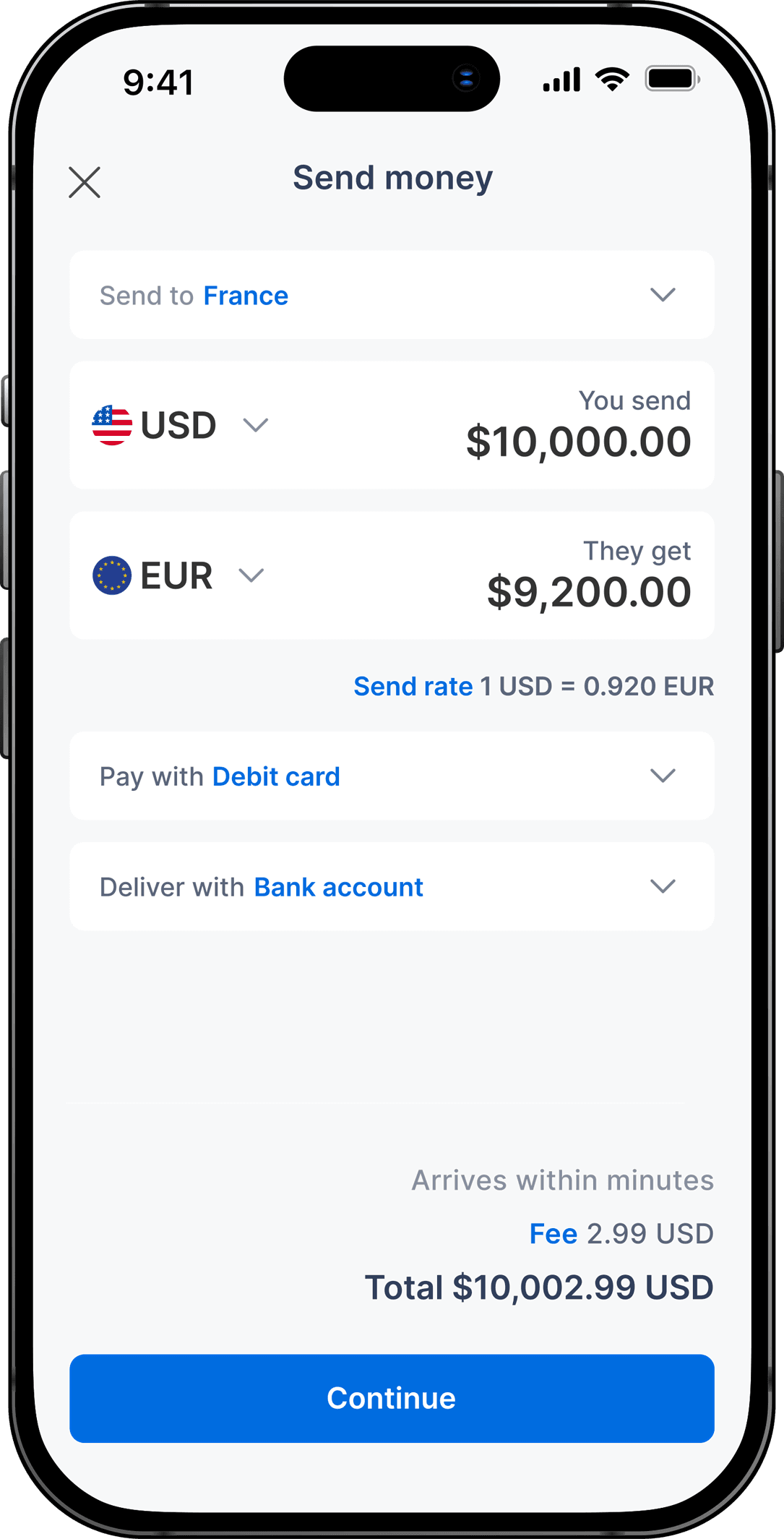
What people are saying
50,000 customers recommend Xe
6 easy steps
How to send money online with Xe
1
Sign up for free
Sign in to your Xe account or sign up for free. It takes just a few minutes, all you need is an email address
2
Get a quote
Let us know the currency you'd like to transfer, how much money you want to send and the destination.
3
Add your recipient
Provide your recipient's payment information (you'll need details like their name and address).
4
Verify your identity
For some transfers, we may need identifying documents to confirm it’s really you and keep your money safe.
5
Confirm your quote
Confirm and fund your transfer with a bank account, credit card, or debit card and you're done!
6
Track your transfer
See where your money is and when it arrives to your recipient. Get live chat, phone and email support.
Send money to over 200 countries in 100+ currencies

Direct Debit ACH
Direct Debit, or Automated Clearing House (ACH) payments take funds directly from your bank account.

Wire Transfer
Wire transfers will move money by transferring from your bank to ours. We usually receive money in 24 hours.

Debit or Credit Card
Card payments typically take less than 24 hours. However, card payments come with a small additional fee.
Connecting the World
Send Money Destinations


Frequently Asked Questions
Send money online with Xe easily in these steps:
Select 'Destination country' for your transfer.
Enter the amount in 'You send' or 'Recipient gets' for currency conversion. For specific amounts, complete 'Recipient gets' first.
Choose a payment method: 'Direct Debit (ACH)', 'Debit Card', 'Credit Card', or 'Wire Transfer'. For urgent transfers, use debit or credit card.
Send to recipient's bank account, or if available, arrange cash pickup or send to a mobile wallet.
Provide recipient's details and transfer reason.
For bank transfers, await a confirmation email with our bank details to make the payment.
Send your money!
The cost of sending your money to another country changes based on how you choose to pay, the type of money you're sending, and where you're sending.
If you use the Xe app or go online, you can see the exact cost before you send your money. Because we use live exchange rates, the cost of your transfer might change before you finish the transaction. If that happens, we'll let you know right away.
In some countries, people have to pay a fee when they use a credit or debit card for their money transfer. This fee is a percentage of the total amount you're sending. Also, if you use a credit card, your card company might charge you a separate fee called a cash advance fee.
If you need to send money fast, we recommend using a card — most card transfers are completed within minutes. If you pay with a bank or wire transfer, you won't have to pay a fee, but it could take up to four business days for the money to get to the person you're sending it to.
Initiating a money transfer reveals typical durations. Delivery time estimates may change based on currency, destination, and payment method. Track transfers using the Activity screen on the Xe app or website and chat live with our virtual assistant, Lexi, for assistance.
Fastest payment options:
Transfers begin once we've received your payment.
Card payments are the quickest, processed almost instantly. Choose card payment for urgent transfers.
Bank transfers, direct debits, and ACH are a bit slower, taking up to 2 business days to reach us.
Delivery timeframes:
After receiving your payment, we send your money. Allow 1 to 3 business days for transfers to reach recipients, depending on currency and destination. For concerns, chat with Lexi to track transfers.
For your security, we do have limits on how much you can send in a single online transfer.
Online transfer limit per region:
UK & Europe (GBEU): GBP 350,000 or sending currency equivalent
United States (US): USD 535,000 or sending currency equivalent
Canada (CA): CAD 535,000 or sending currency equivalent
Australia & New Zealand (AUNZ): NZD 750,000 or sending currency equivalent
The payment method you choose may also determine how much you can send with us. Read our FAQs for more information and view a list of payment methods available to you.
Customers in Canada and the USA paying by bank or wire transfer:
Customers in Canada need to send $3000 CAD or more to pay by bank or wire transfer
Customers in the USA need to send $3000 USD or more to pay by bank or wire transfer
Since the transfer’s going directly to your bank account, the sender will need to have the bank information handy to send the transfer.
Make sure that the sender knows the following information:
Your name
Your address (your residential address, not the bank’s address)
Your bank account number
Your BIC or SWIFT code
Your bank name
Most transfers will arrive on the same day, but occasionally some recipient banks can take between 1-4 days to deposit the money in your account. Depending on the payment method and the delivery route, it could even reach you in just a few minutes.
The money will be automatically deposited into your account. No need to head out to your local bank’s branch and wait in line; just wait for your bank to notify you that there’s been a deposit in your account.
Send money directly to friends and family's mobile devices in 35+ countries with Xe.
Mobile wallets provide a fast, secure way to send, store, and receive money. Once we receive payment, the transfer is available in the recipient's wallet app within minutes.
Available to UK, Europe, Canada, New Zealand, and USA customers from app version 7.14.0 and online. Update your app for the latest features.
To send money to a mobile wallet:
Log in to your Xe account online or in the app.
Click 'Send' in the app, or 'Send money' online.
Choose the 'Destination country'.
Complete 'You send' or 'Recipient gets' field.
Select a payment method. For urgent transfers, use debit or credit card.
Choose 'Mobile wallet' as the delivery option.
Provide the transfer reason.
Pay for your transfer.
We'll send the money to the recipient's mobile wallet upon receiving your payment.
Cash pickup lets Xe users in Canada, New Zealand, Europe, the UK, and the USA send money quickly in physical form.
As a sender, pick an amount and pay. We'll generate a PIN for your recipient to collect the money at a chosen location, subject to our Terms and Conditions.
Choose it as your preferred delivery option during the regular sending process.
For new customers, select the currencies and destination country, then switch from bank transfer to cash pickup if available. If not, select another delivery option.
Pay for cash pickups with credit/debit card or ACH (US only).
Recipients can collect money at a specific store or any branch of selected partners. You'll decide the location during the payment process.
After payment, you'll see the pickup location and PIN. Share the PIN with your recipient. They'll need valid government-issued ID and the PIN to collect the money.
If you send more than $50,000 USD a year (or local currency equivalent) you are eligible for this service.
Here are just a few things the team can help you with:
Support with setting up large transfers
Setting up a forward order to lock in the current send rate for up to 24 months
Creating market orders to enable you to send money when a target rate is achieved
Creating a regular payment for making regular, automated transfers with fixed rates, just like your usual direct debits
If you would like to speak with a member of our team, you can call us using the below details:
United Kingdom (GB): +441753441800 (8am-6pm GMT)
Europe (EU): +441753441800 (8am-6pm GMT)
New Zealand (NZ): +6499054625 (9am-7pm NZT)
Australia (AU): +61280745279 (9am-7pm NZT)
United States (US): +17372557830 (7am-5pm PT)
Canada (CA): +16474753660 (7am-5pm PT)
Get in touch with our Customer Care Team via phone, email, or Live Chat for assistance with your query.
To help us serve you better, please keep your contract number (starts with 'C' and looks like C12345678) handy, which can be found in your transfer confirmation email or in your account online.
Phone:
Xe Money Transfer Support
+1-877-932-6640
Customer care representatives available:
Monday to Thursday: Open 24 hours
Friday: Midnight to 5pm (PT)
Saturday: Closed
Sunday: 1pm to midnight (PT)
Live Chat:
Click the blue Chat With Us button in the bottom right-hand corner of your screen (if you don't see this button, we're offline just now)
We can chat to you in over 100 languages and usually respond within 2 minutes
Email:
Complete our contact form and a member of our team will respond to you by email within 48 hours and in one of over 100 languages
Check the status of your money transfer, or take an action to get it moving, in the app or in your online account.
Track your money transfer in the app:
1. Open Track screen
2. Click transfer for status and timeline
Track your money transfer in your online account:
1. Open Activity screen
2. Click Details, Share, or Resend for actions
Ask Lexi to track your money transfer:
1. Click 'Chat with us'
2. Enter contract number (e.g. C12345678)
3. Lexi provides status update
With transfer open (app or online):
View transfer timeline
Make changes (based on status)
Access bank details for payment
Upload required info
Repeat completed transfers
We’ve been in the currency business for 30 years and keeping your money and information safe is one of our top priorities.
We’re owned by the multibillion-dollar NASDAQ-listed company Euronet Worldwide (EEFT) and adhere to regulatory standards in every country we operate in, along with having enterprise-grade security measures in place.
We’ve built up our reputation as a secure service on years of trustworthy transfers. We’ve processed over $115 billion in 170 countries for over 112,000 customers. We know the money transfer business, and we are committed to creating a perfect transfer experience for you.
As an international company, our business is mandated to meet regulatory standards such as:
- Europe's GDPR (General Data Protection Regulation)
- Canada's Privacy Act
- The US Privacy Act
Our corporate traders and forward contract options minimize the erosion of your money from fees and turbulent currency values.